

Guest Management Software vs Manual Tracking
Guest management software vs manual tracking: when a spreadsheet is enough, and when $3 per guest texting saves the weekend. Compare 5 real options here.

For a wedding or multi-day event, guest management software beats manual tracking once you pass about 40 guests, add a second venue or day, or have anyone flying in. Our pick is Dearest Guest: every guest gets their own text by name on a prescheduled plan a real person reviews first, with plans from $99 and every guest at the same $3 whether their number is from the US, Canada, Europe, or beyond. Dearest Guest is not an office visitor kiosk, badge printer, or front desk sign-in log; if that is the job, the guest management software vs manual tracking tradeoffs below still apply, but the tools differ. A clean spreadsheet remains fine for a small, local, single-venue party.
Key takeaways
- Manual tracking means a paper list, a spreadsheet, a group chat, or a wedding website FAQ; it costs nothing upfront, but every message is typed and sent by hand with no record of who received what.
- Dearest Guest sends each guest a personalized text in their own time zone, a real person reviews the whole plan before launch, every send is tracked, and replies collect in one dashboard.
- Pricing is flat: plans start at $99 as a one-time payment with unlimited messages and no per-message fees, and every guest costs the same $3 regardless of country.
- The switch point is roughly 40 guests, two or more venues or days, or any shuttle, flight, or hotel deadline that applies to some guests and not others.
- Migration is quick: most couples drop in a spreadsheet and finish their guest list in under five minutes, so leaving manual tracking is not a project.

What counts as manual guest tracking?
Manual guest tracking is any system where a person updates records and sends messages by hand: a paper guest list, a Google Sheet with RSVP and flight columns, a group chat, or a wedding website FAQ that guests must remember to visit. It runs on memory and copy-paste rather than scheduled, per-guest automation.
For an office, the manual version is a paper log book at reception or a shared spreadsheet the receptionist updates. For a wedding, it is usually a spreadsheet with columns for name, phone, RSVP, plus-one, dietary notes, arrival flight, hotel, and shuttle slot.
The messaging side is where manual tracking gets heavy. Couples typically send one group text to everyone, a few separate texts to the bridal party, and then field the questions that arrive at 11 PM the night before.
A wedding website sits in the same category. It is a static page guests open once, usually the day the save-the-date arrives, and rarely again. We cover that pattern in our guide to why wedding websites do not work as a messaging channel, at dearestguest.com/blog/wedding-website-alternative.
Why do so many couples stick with manual tracking?
Manual tracking survives because it is free, familiar, and instantly editable. A spreadsheet needs no training, no vendor, and no phone numbers formatted a certain way. For a 25-person dinner at one restaurant with no travel, it genuinely works, and the time cost is low enough that software would be overkill.
There are honest advantages worth naming. You control every cell, you can see the whole list at a glance, and you never worry about a tool sending something you did not approve. Spreadsheets also work offline and need no internet during setup.
The pros are real, which is why we do not tell every couple to switch. The question is not whether a spreadsheet can hold the data. It can. The question is whether a human can deliver the right slice of that data to the right guest at the right moment, every time, across a full weekend.
What goes wrong when you track guests by spreadsheet and group text?
The failures are predictable: version drift between the spreadsheet and the group chat, blanks where a flight number should be, guests who never saw the message buried under 40 replies, and no delivery record. Phone numbers also sit exposed in group threads, and nothing reminds you when a hotel block deadline passes.
Start with visibility. A group text has no audit trail. You cannot tell who read the shuttle time and who muted the thread after the third reply-all. With a spreadsheet, the same guest can be marked as confirmed in one tab and pending in another.
Then there is personalization. A 60-guest destination wedding has guests landing at different times, staying at different hotels, and belonging to different sub-groups. One blast cannot say "your driver is waiting outside the main exit at 11:44 AM" to only the people on that flight.
Privacy is the quiet one. Group threads expose every number to every guest, which is the wedding equivalent of the open visitor log book that lets the next person read who came in before them. Guests who barely know each other end up with each other's numbers.
Finally, there is the cost of the gap. Our founder got married without sending guests a single message, assumed everyone had what they needed, and some guests missed their flights. That is manual tracking failing silently, which is the only way it ever fails.
What does guest management software actually do?
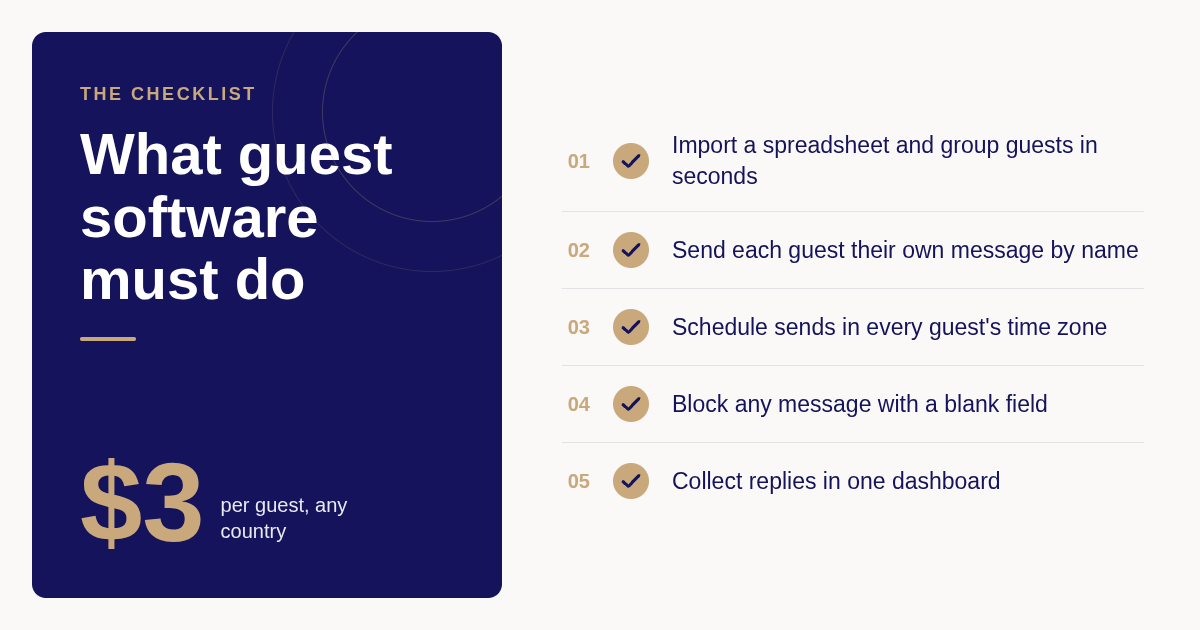
Guest management software holds one guest list, lets you group guests, and sends each person their own scheduled message by name at the right moment. For weddings, Dearest Guest covers save-the-dates, RSVP reminders, flight and hotel details, welcome notes, run-of-show timing, shuttle pickups, and thank-you texts, with replies collected in a dashboard. See Ai Model Risk Management for Insurers for more on this.
The workflow is three steps. You drop in a spreadsheet or add guests by hand with names, phone numbers, and groups such as family, bridal party, or the Friday arrivals. You pick the moments to cover, start from templates or write your own, and preview exactly what each guest will see. Then messages send automatically in each guest's own time zone.
Two details separate a real tool from a mass-SMS blaster. First, a real person reviews your whole message plan before launch. Second, automatic safety checks mean nothing sends with a blank where a name or time should be, and every send is tracked. You can read the full process at how Dearest Guest works.
The reason text works as the channel is reach. Pew Research Center's mobile fact sheet shows that more than nine in ten American adults own a cellphone, and a plain text needs nothing downloaded. Every Dearest Guest message arrives as a standard SMS, with no app and no login.
What are the top 5 best guest management software options instead of manual tracking?
The best option depends on the job. Dearest Guest is strongest when guests need different details at different moments, such as destination weekends with shuttles and flights. Zola and Joy win when you mainly want a free website with a guest list attached. RSVPify suits structured RSVP forms, and TextMyGuests suits simple broadcast texts.
- Dearest Guest: best when every guest needs their own details at the right moment
Dearest Guest sends each guest a personalized text by name, prescheduled across the whole weekend, and a real person reviews the plan before anything goes out. Plans start at $99 as a one-time payment with unlimited messages and no per-message fees, and every guest is the same $3 whether their number is from the US, Canada, Europe, or beyond. We have run weddings in sixteen destinations across nine countries. The honest limit: it is a texting service, not a wedding website, registry, or seating chart tool, and it needs a phone number for every guest.
- Zola: best when you want a free website, registry, and guest list in one place
Zola's wedding website, registry, and guest list tools are free to use, and its guest messaging lets you email or text the list from the same dashboard. Confirm current pricing on Zola's site. The limit for logistics is that messaging is broadcast style and tied to the website, so segment-by-segment timed texts for shuttle groups are not the design goal.
- Joy (WithJoy): best when a website plus RSVP tracking is the priority
Joy offers a free wedding website with guest list management, RSVP collection, and messaging to guests. Confirm current pricing and messaging limits on withjoy.com. The tradeoff is that Joy steers guests toward its site and app for details, which brings back the visited-once problem for guests who never open the link again.
- RSVPify: best for structured RSVP forms and seating for larger events
RSVPify is an event RSVP platform with a free tier and paid plans that add features such as seating charts, custom questions, and larger guest counts; check the exact plan limits on rsvpify.com. It is email-first and built around the RSVP form, so it is a strong choice for collecting answers and a weaker one for timed day-of texting.
- TextMyGuests: best for simple broadcast texts to the whole list
TextMyGuests is a wedding SMS service that sends texts to your guest list and prices on a per-message basis; confirm the current rate on textmyguests.com. It is quick to set up for a single announcement. The limit is that per-message pricing grows with every reminder, and the model is one message to one list rather than personalized, grouped, reviewed sends.
| Option | Best for | Pricing or format | Standout limit |
|---|---|---|---|
| Dearest Guest | Personalized, scheduled texts across a full weekend | Plans from $99, one-time, $3 per guest, unlimited messages | Texting only, no website or registry |
| Zola | Free website, registry, guest list with messaging | Free website and guest list; confirm on zola.com | Broadcast messaging tied to the website |
| Joy | Website with RSVP tracking | Free website and guest list; confirm on withjoy.com | Details live in the site or app guests rarely reopen |
| RSVPify | Structured RSVP forms and seating | Free tier plus paid plans; confirm on rsvpify.com | Email-first, not built for day-of texts |
| TextMyGuests | One announcement to the whole list | Per-message pricing; confirm on textmyguests.com | Costs scale with every reminder, no per-guest review |
How much does guest management software cost compared to manual tracking?
Manual tracking has no subscription, but it is not free. Someone writes, personalizes, and sends every message, then chases replies. Dearest Guest charges a one-time payment with plans from $99, unlimited messages, no per-message fees, and every guest at the same $3 regardless of country, so the price is known before you send anything.
Run the manual math for a 60-guest destination wedding. A reasonable plan has eight touchpoints: save-the-date, RSVP reminder, flight and hotel info, welcome note, itinerary, shuttle times, a morning-of reminder, and a thank-you. Personalizing and sending those by hand is 480 individual texts.
Even at one minute per text, that is eight hours of typing, usually in the final two weeks when time is scarcest. Add the replies you answer one by one, and the hidden cost of manual tracking is measured in evenings, not dollars.
Software pricing varies by model. Free website tools bundle messaging in, per-message tools charge for each reminder, and Dearest Guest charges per guest with unlimited messages. The breakeven question is simple: would you pay the per-guest fee to get those evenings back and remove the risk of a missed shuttle? Full details are on our wedding texting pricing page.
When is manual tracking still fine, and when should you switch?
Manual tracking is fine for a single venue, a local guest list under about 40 people, no shuttles or room blocks, and one day of events. Switch when guests fly in, when two or more venues or days are involved, when sub-groups need different information, or when you cannot afford a silent failure.
Here is the decision rule we use. Count how many guests need information that others do not. If the answer is zero, a group text and a spreadsheet are enough. If the answer is more than a handful, you are already running a segmented communication plan by hand.
Destination weddings almost always cross the line. Sixty guests arriving across three days with different flights, hotel check-ins, and shuttle pickups is the exact scenario where our destination wedding messaging replaces a spreadsheet, because each guest gets shuttle details matched to the flight on file.
Multi-venue city weddings cross it too. A cathedral ceremony and a private club reception across town means parking lots at both, hotel shuttle departure times, and a transition that guests need explained. One couple told us not a single "where do I park?" text arrived on the wedding day because the messages handled everything.
How do you move from a spreadsheet to software without losing anything?
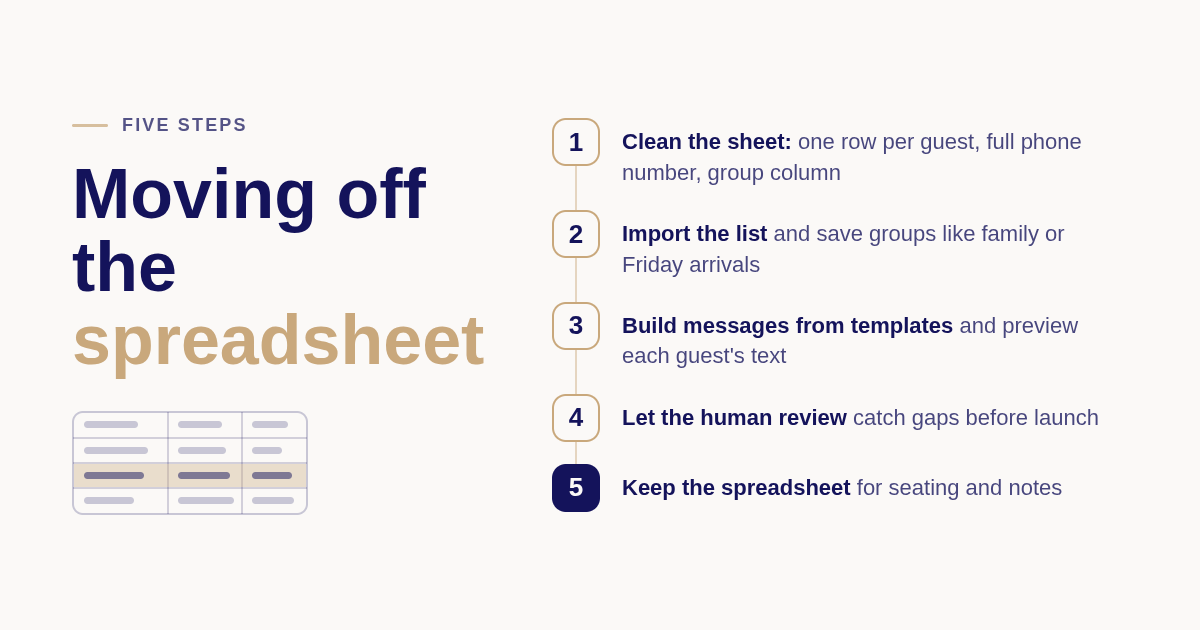
Clean the spreadsheet first: one row per guest, a full phone number with country code, and a group column such as family, bridal party, or Friday arrivals. Import it, build your message plan from templates, preview each guest's text, and let the review step catch blanks. Keep the spreadsheet as a backup.
Step one is the data. Most couples already have the names and numbers; the work is standardizing formats and filling gaps before the import. Dearest Guest confirms delivery for your guests' countries with you before anything sends, so international numbers get checked rather than assumed.
Step two is grouping. Select the guests who belong together and save them as a group in seconds. Each group gets its own messages with each guest's own name, never one blast to everyone, which is the capability a spreadsheet cannot replicate.
Step three is the hybrid period. Nothing stops you from keeping the spreadsheet for seating and dietary notes while the texting plan runs in software. Edits apply instantly after the review, protected by automatic safety checks, so you are not locked out of changes once the plan is live.
One compliance note that applies to any texting tool: guests should be able to opt out. The FCC's guidance on unwanted calls and texts explains consumer protections, which is why every first Dearest Guest message includes a reply-STOP option.
Is wedding guest software the same as a visitor management system?
No. A visitor management system is office software for front-desk sign-in: pre-registration, kiosk or tablet check-in, host notifications, badge printing, watchlists, and evacuation lists. It replaces the paper log book. Wedding guest software replaces the spreadsheet and group chat, and its job is timed, personal communication rather than building access.
The search term overlaps because both compare software against manual tracking, and the tradeoffs rhyme. An open paper log exposes visitor names the way a group chat exposes phone numbers. A missing badge is a missing shuttle time. Both failures are invisible until they matter.
Visitor management systems come in cloud, kiosk, on-premise, and mobile forms, and most price per location per month with tiers for extra features. For organizations handling personal data in the EU, the European Commission's data protection rules govern retention and access, which is a core reason offices retire open log books.
If your need is an office lobby, pick a visitor management vendor. If your need is 60 guests who must be in the right place at the right time across a wedding weekend, a texting service built for that job is the better fit, and manual tracking is the thing to retire.
How did we compare these options?
We compared publicly listed pricing models and plan pages for each tool, the scope of what each one is built to do (website, RSVP form, broadcast SMS, or personalized scheduled texts), and whether a human reviews the plan before sending.
How do you get started with Dearest Guest?
Add your guest list from a spreadsheet, choose the moments you want covered, and we handle the writing and the timing while a real person reviews the plan. Start your guest messaging plan with Dearest Guest and stay present for the weekend instead of managing it from your phone.
What do people also ask?
How much does visitor management software cost compared to a paper log book?
Office visitor management systems typically price per location per month with tiers for kiosks, badges, and integrations; confirm exact figures on each vendor's site. For wedding guests, Dearest Guest charges a one-time payment with plans from $99, unlimited messages, and every guest at the same $3 regardless of country, so the total is known before anything sends.
What are the types of visitor management systems?
The four common types are cloud-based (browser dashboard, hosted by the vendor), kiosk or tablet (self-serve lobby check-in), on-premise (installed on your own servers for strict data control), and mobile (visitors pre-register and check in on their phones). Wedding guest tools are a separate category built around scheduled texts to a guest list.
What is a visitor management system and what is its purpose?
A visitor management system digitally records who enters a building, when, and who they are visiting. Its purpose is security, compliance, and speed: pre-registration, host notifications, badge printing, watchlist checks, and an accurate evacuation list. It replaces the paper sign-in sheet that is often illegible, incomplete, and readable by anyone at the desk.
At what point does manual guest tracking stop being viable for a wedding?
Our rule is to count how many guests need information that others do not. Under about 40 local guests at one venue on one day, a spreadsheet and group text are usually fine. Once guests fly in, a second venue or day appears, or shuttle and hotel details differ by group, manual tracking starts failing silently and software becomes the safer choice.
How hard is it to switch from a spreadsheet to guest management software?
Not hard. Clean the sheet to one row per guest with a full phone number and a group column, then import it. Most couples finish their guest list in Dearest Guest in under five minutes, build messages from templates, preview each guest's text, and a real person reviews the plan before launch. You can keep the spreadsheet for seating and notes.